Set additional recipients for announcement emails
This section describes how to set additional recipients for announcement emails.
YubiOn FIDO Logon sends important announcements, such as system updates and maintenance information, by email to the customer’s representative.
If you also want people other than the representative to receive these announcement emails, you can register their email addresses as additional recipients.
When a recipient becomes active
A confirmation email is sent to each registered email address.
Announcement emails are not sent to that address until the recipient approves it within 24 hours using the link in the confirmation email.
Add a recipient
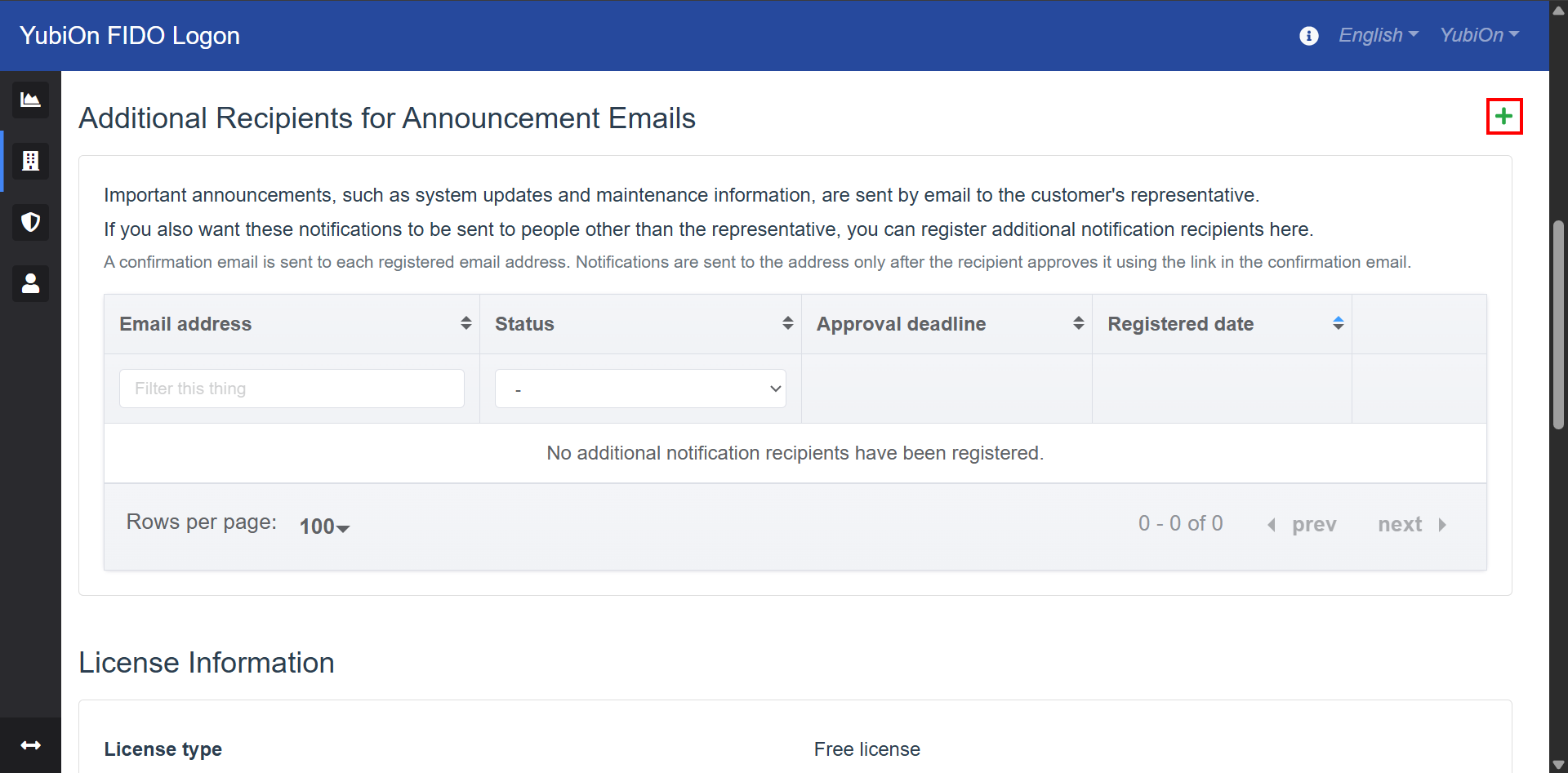
Select “Customer” from the menu.
- Click the add icon (+) on the right side of “Additional Recipients for Announcement Emails”.
- In the “Add notification recipient” modal, enter the recipient’s email address.
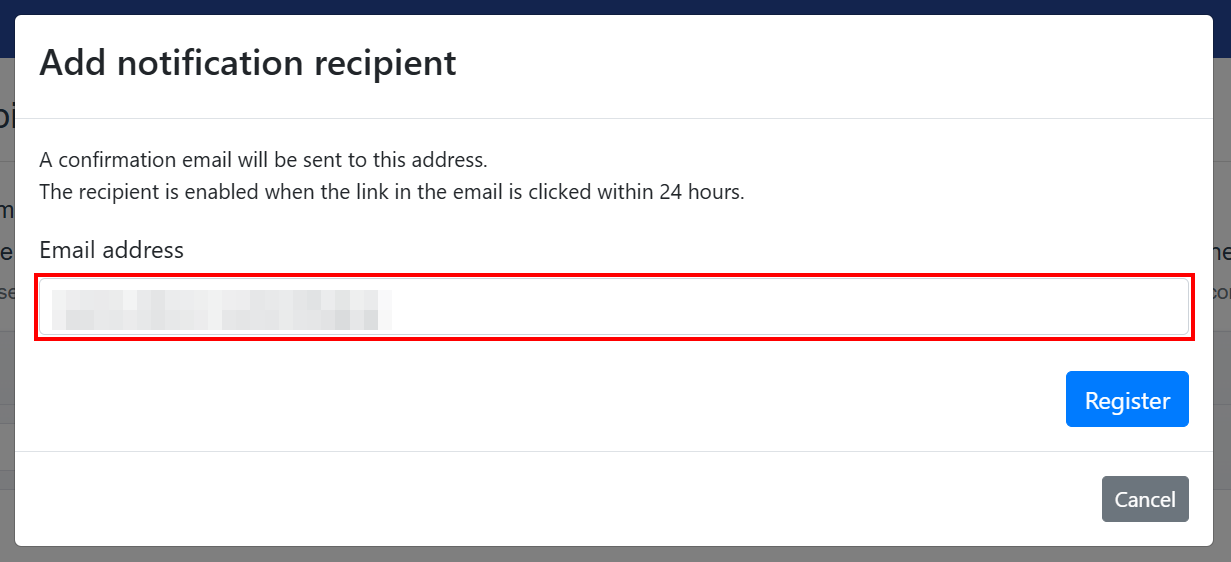
- Email address
Enter the email address to which announcement emails will be sent (up to 128 characters).
- Email address
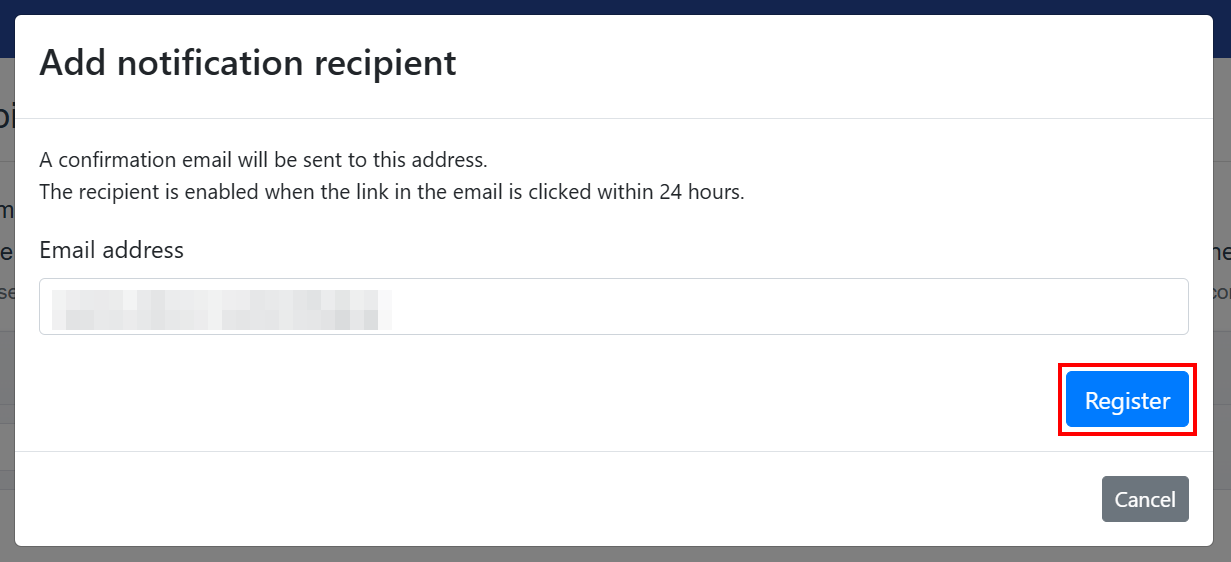
- Click the “Register” button.
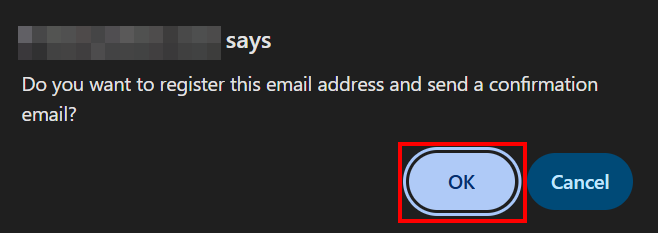
- Click “OK” on the confirmation message “Do you want to register this email address and send a confirmation email?”.
- Click “OK” when you see the message “Registration is complete and a confirmation email has been sent.”.
Verify that the email address you added appears in the list with the status “Waiting for approval”.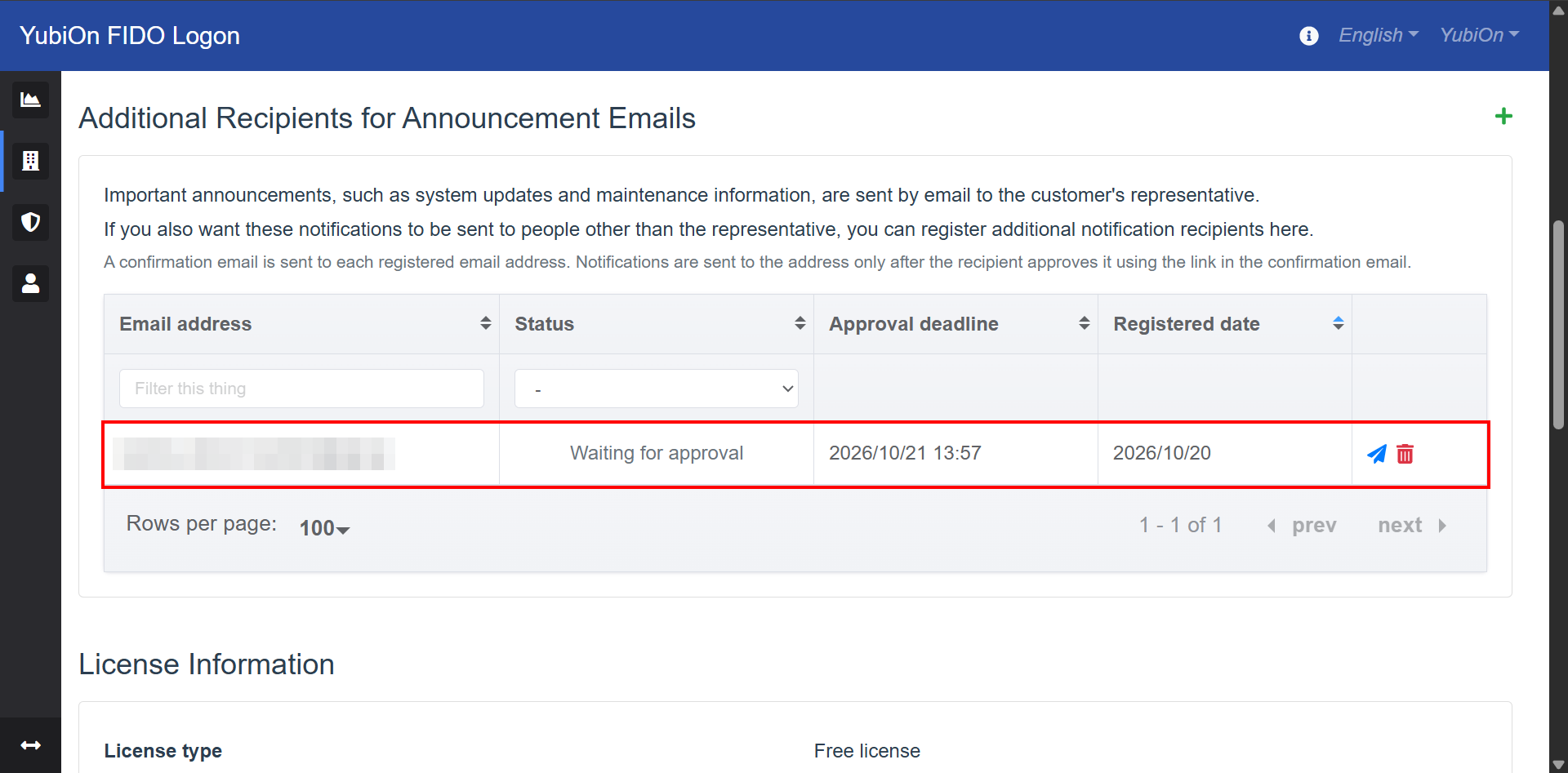
Already registered email addresses
An email address that is already in the list cannot be registered again, regardless of its status.
If the message “This email address is already registered.” appears, check the email address in the list.
Approve as a recipient (operation by the recipient)
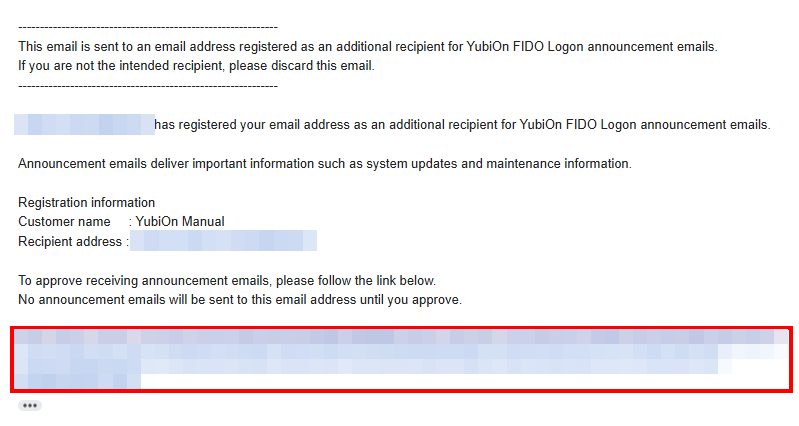
A confirmation email with the following subject is sent to the email address you added.
Ask the recipient to approve it using the link in the email.
- Subject: [YubiOn FIDO Logon]Please confirm your email address as a notification recipient
The confirmation email includes the email address of the administrator who registered the recipient, the customer name, and the recipient’s email address.
The confirmation email is sent in the language setting (English or Japanese) of the administrator who registered the recipient.
- Click the link in the confirmation email.
- When “Notification recipient approval is complete” is displayed, the approval is complete. You can close this page.
From then on, announcement emails from YubiOn FIDO Logon will be sent to this email address.
The recipient does not need to log in to the web management site to approve.
About the link in the confirmation email
- The link expires 24 hours after the confirmation email is sent.
- The link can be used only once.
- When you resend the confirmation email, the link in the previously sent email is no longer valid. Always use the link in the latest confirmation email.
If the link is invalid or has expired, “Notification recipient approval failed” is displayed.
In this case, resend the confirmation email from the web management site.
Check the status of recipients
Select “Customer” from the menu. You can check the registered recipients in the “Additional Recipients for Announcement Emails” list.
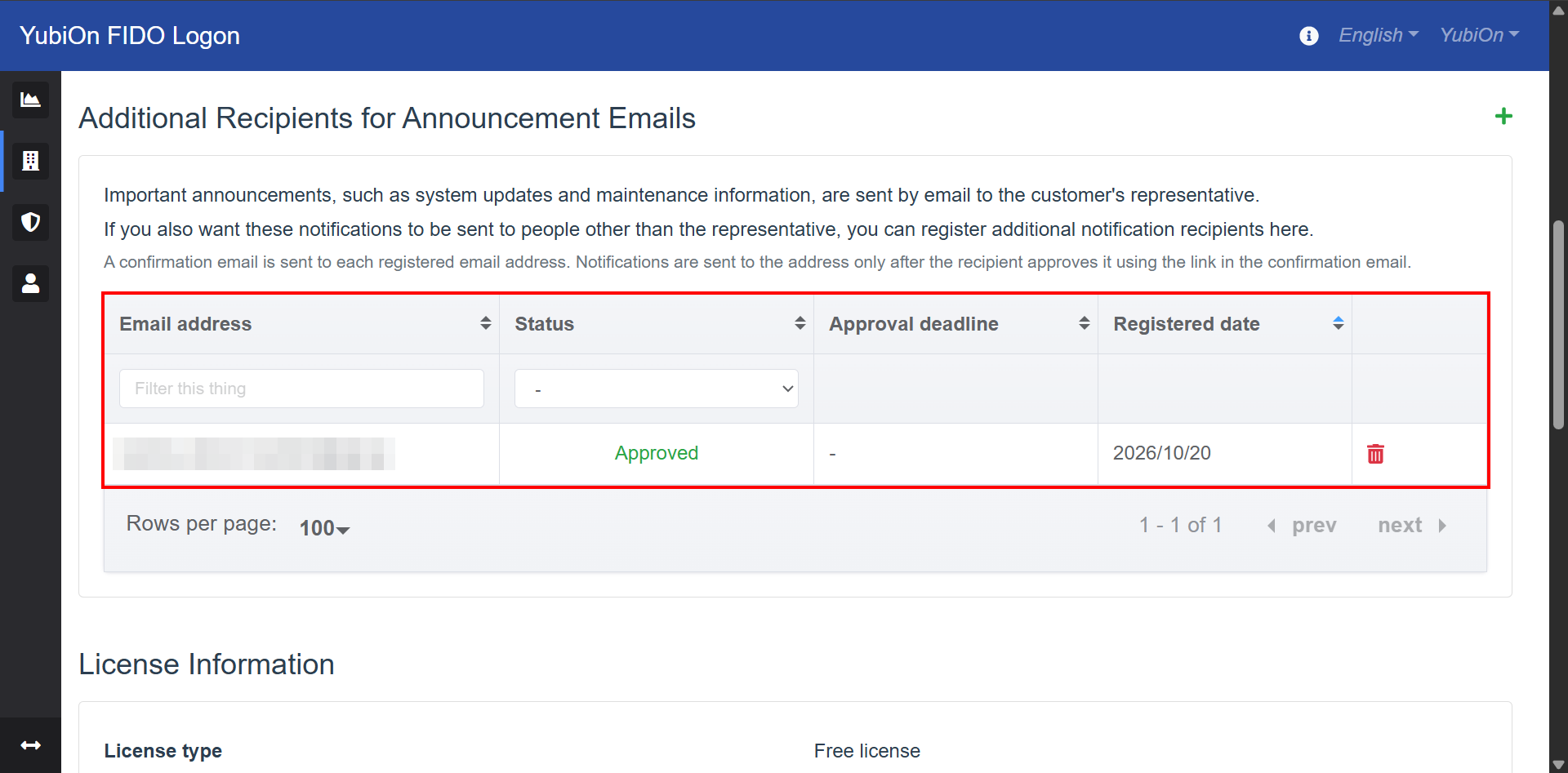
- Email address
Displays the recipient’s email address. - Status
Displays the status of the recipient.
| Status | Description |
|---|---|
| Approved | The recipient has approved. Announcement emails are sent to this address. |
| Waiting for approval | A confirmation email has been sent and is waiting for the recipient’s approval. Announcement emails are not sent. |
| Expired | The link in the confirmation email expired without being approved. Announcement emails are not sent. |
- Approval deadline
Displays the expiration date and time of the link in the confirmation email. This is not displayed for approved recipients. - Registered date
Displays the date the recipient was registered.
Resend the confirmation email
Resend the confirmation email to a recipient whose status is “Waiting for approval” or “Expired”.
Do this if the recipient did not receive the confirmation email or could not approve it before it expired.
Select “Customer” from the menu.
- In the “Additional Recipients for Announcement Emails” list, click the resend icon (paper plane) for the target email address.
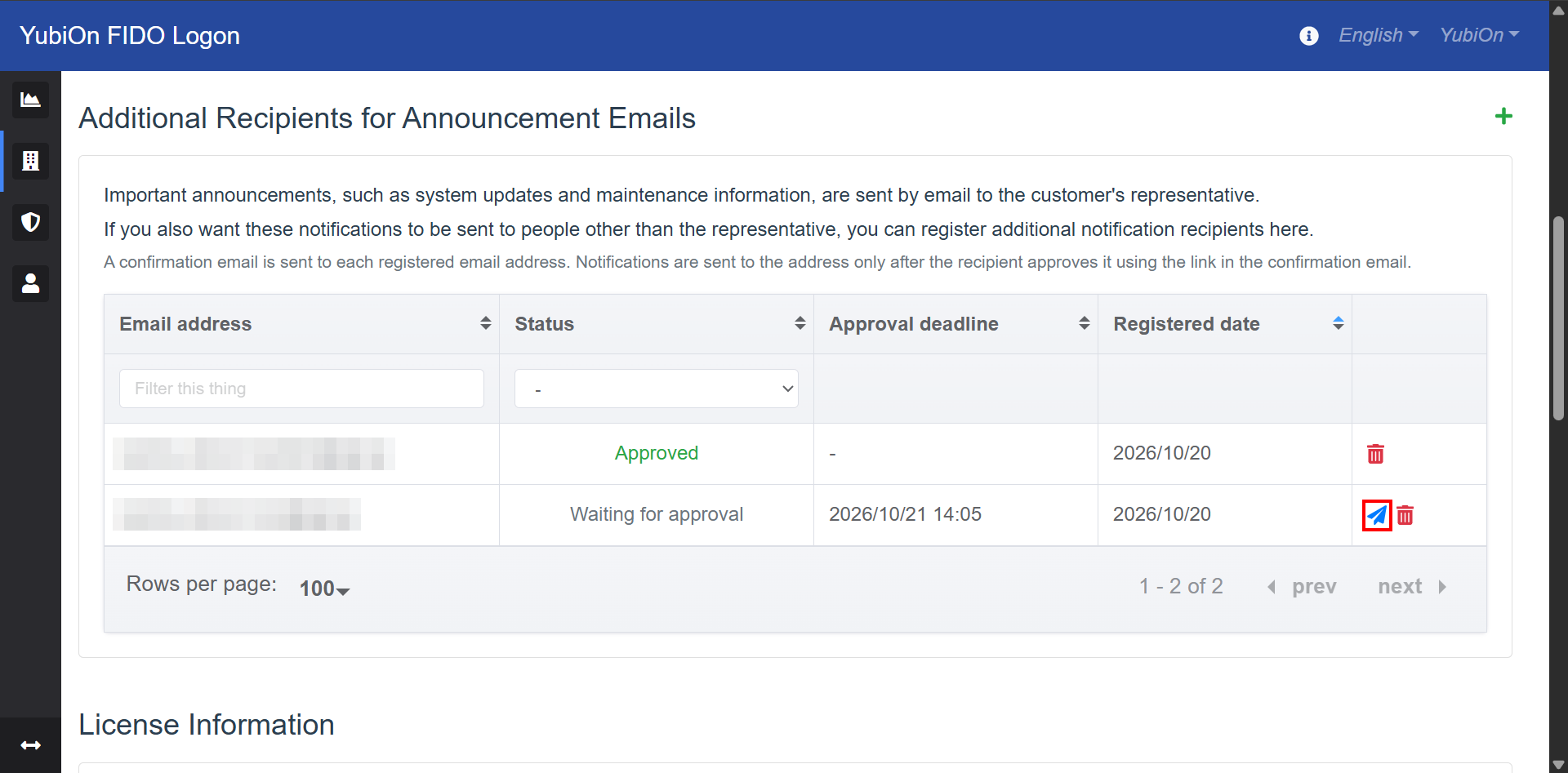
- Click “OK” on the confirmation message “Do you want to resend the confirmation email?”.
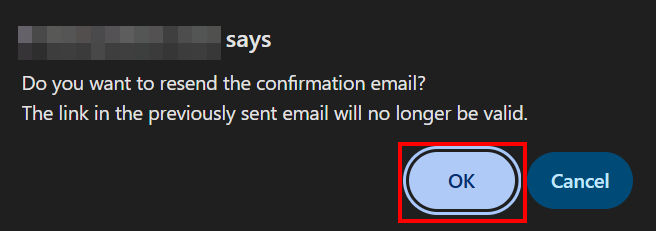
- Click “OK” when you see the message “The confirmation email has been resent.”.
Verify that the status of the target email address is “Waiting for approval” and that the approval deadline has been updated.
When you resend, the link in the previously sent confirmation email is no longer valid.
The resend icon is not displayed for approved recipients.
Delete a recipient
Delete a registered recipient. Announcement emails will no longer be sent to the deleted recipient.
Select “Customer” from the menu.
- In the “Additional Recipients for Announcement Emails” list, click the delete icon (trash can) for the target email address.
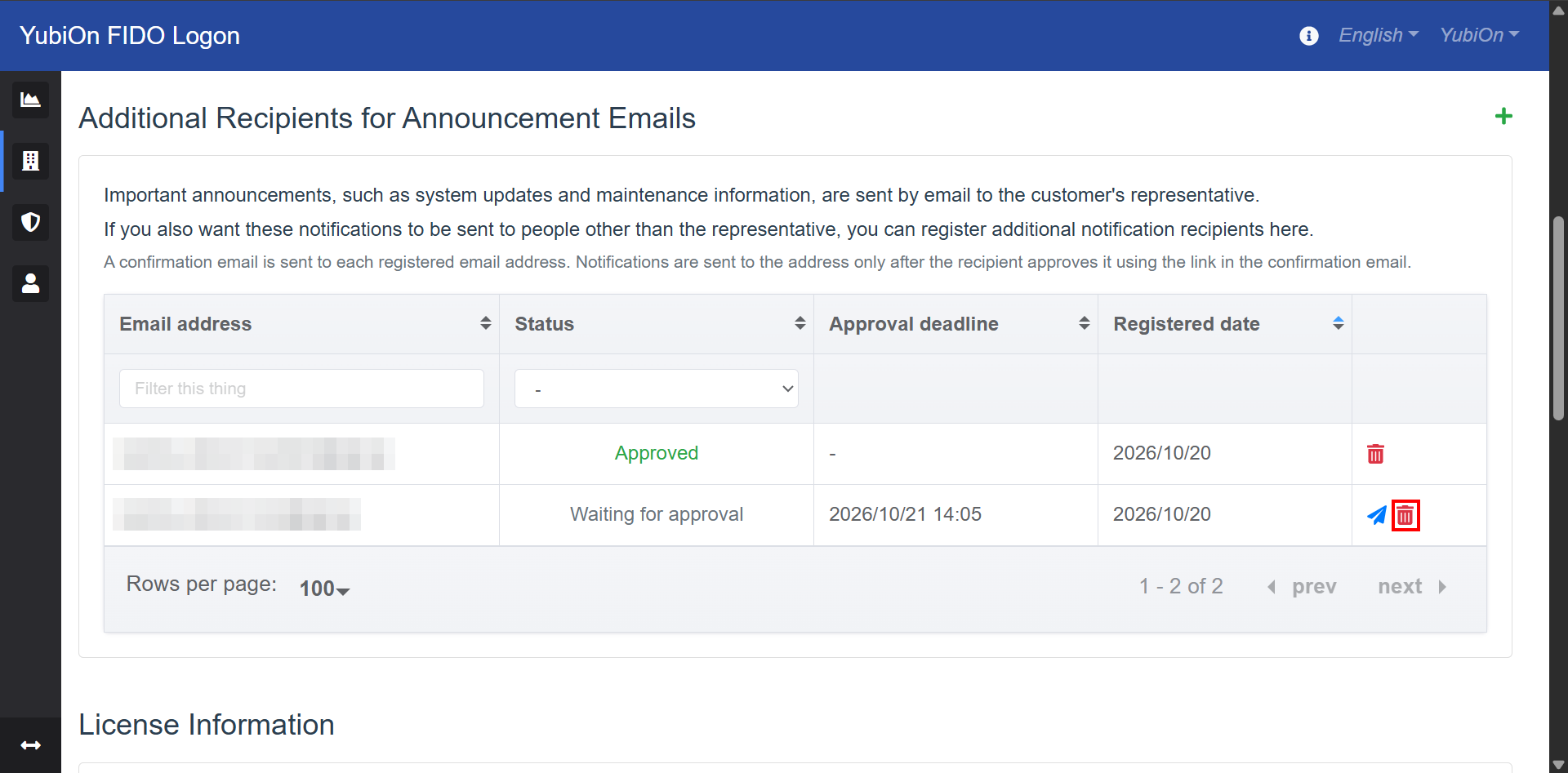
- Click “OK” on the confirmation message “Do you want to delete this notification recipient?”.
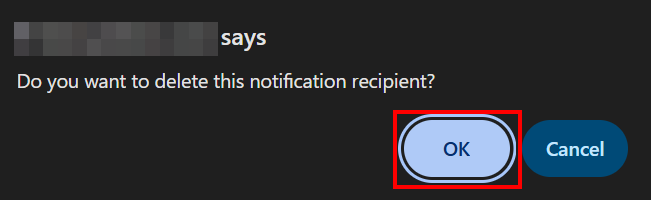
- Click “OK” when you see the message “Deletion successful.”.
Verify that the target email address has been removed from the list.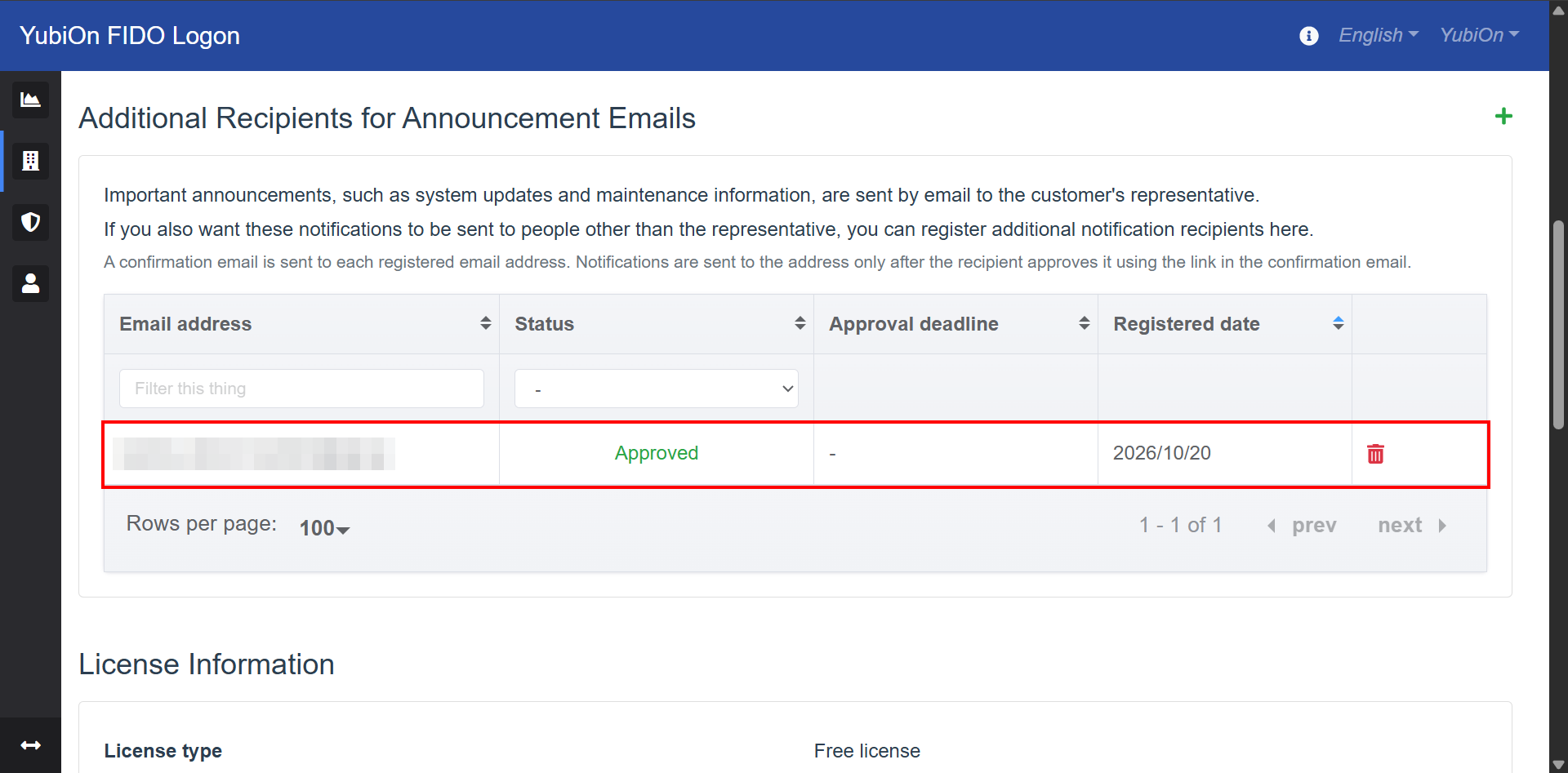
Requests from recipients to stop receiving emails
The confirmation email tells recipients to ask the administrator who registered them if they want to stop receiving announcement emails.
If a recipient asks you to stop, delete their email address using the procedure above.